Concept 13: CSS Flexbox
CSS Flexbox
🎯 Learning Objectives
By the end of this lesson, you will:
- Understand what CSS Flexbox is and why it's useful
- Create a flex container using EduBlocks
- Use flexbox properties to arrange elements
- Build responsive layouts without complex calculations
- Connect visual blocks to real CSS flexbox code
📋 Before You Start
Make sure you have:
- ✅ Completed the CSS Box Model lesson
- ✅ Your EduBlocks workspace open
- ✅ A web browser ready for testing
- ✅ Basic understanding of HTML containers (divs)
ℹ️ Info What is CSS Flexbox? CSS Flexbox is a layout module in CSS that provides a flexible way to distribute and align elements within a container. It makes arranging items in rows or columns super easy!
Think of it like organizing toys on a shelf - you can:
- Line them up in a row or stack them in a column
- Space them evenly
- Center them perfectly
- Make them stretch to fill the space
🎯 Why Use Flexbox?
Flexbox helps you create dynamic and responsive layouts. This means your webpage looks good on phones, tablets, and computers!
🛠️ How to Use Flexbox
To create a flexbox layout, follow these simple steps:
- Find your container - This is the parent element (like a div)
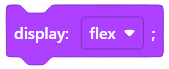
- Apply the flexbox block - Drag and drop the display: flex block
- Add flexbox properties - Choose how items should arrange
💡 Tip: Quick Start The magic happens when you add
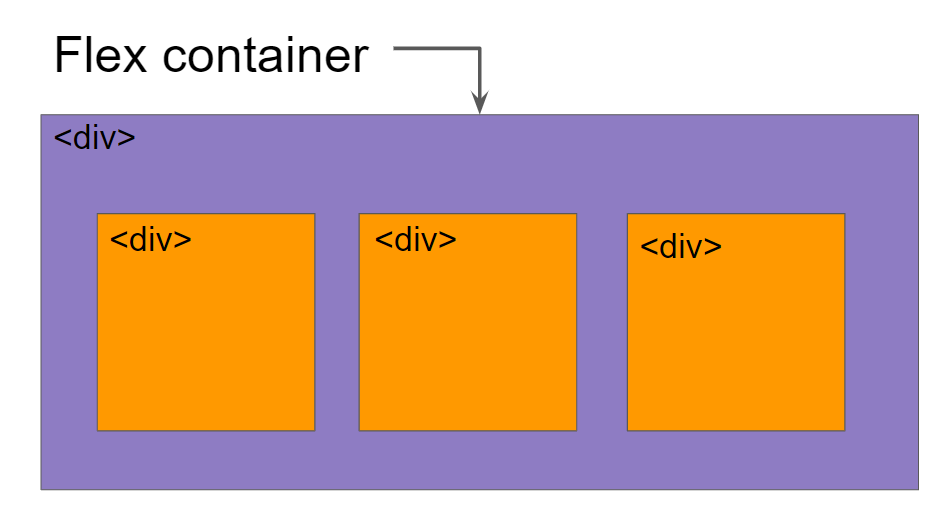
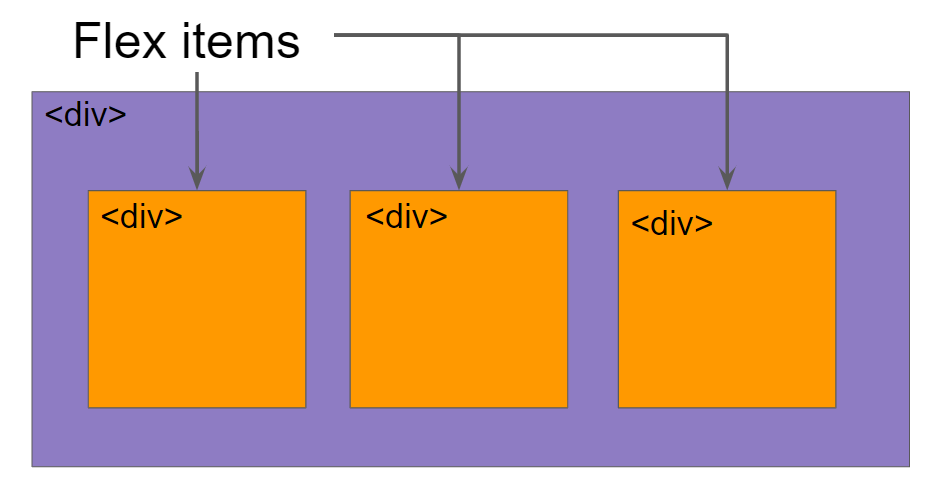
display: flexto a container. This turns it into a flex container, and all its children become flex items that you can control!
Important notes:
- Flexbox properties work on both the container and its items
- This lesson focuses on container properties
- The next lesson will cover individual item properties
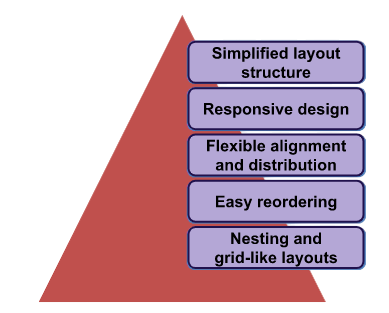
🌟 Benefits of CSS Flexbox
📐 Understanding Flex Layout
Traditional layouts use blocks that stack vertically. Flexbox introduces a new way of thinking about layout with two axes:
note Key Concept: Flex Axes
- Main Axis: The primary direction items flow (horizontal by default)
- Cross Axis: The perpendicular direction (vertical by default)
Think of it like reading a book:
- Main axis = left to right (how you read words)
- Cross axis = top to bottom (how you read lines)
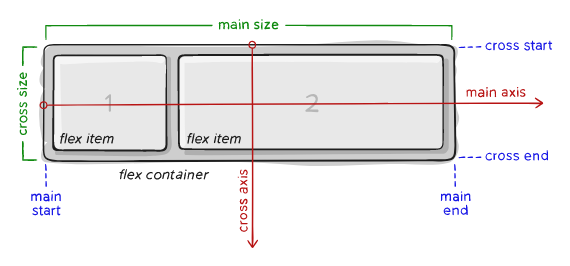
Items arrange along the main axis (from main-start to main-end) and align along the cross axis (from cross-start to cross-end).
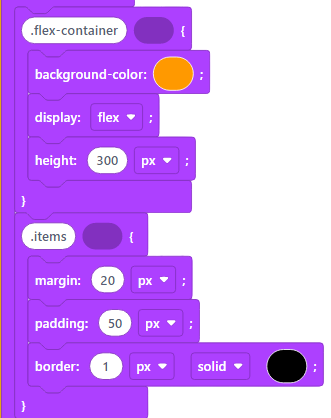
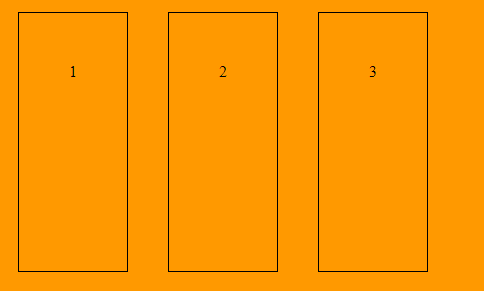
💡 Live Example
Try this interactive example: Open in EduBlocks
| Code | Output |
|---|---|
 |
 |
🎨 Flex Container Properties
Now let's explore the powerful properties you can use on a flex container. Each property controls how items arrange and behave:
1️⃣ Display Property
| Property | Value | Description and Output |
|---|---|---|
| display | flex | This is the starting point! Add this to create a flex container.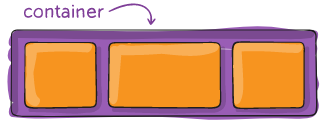 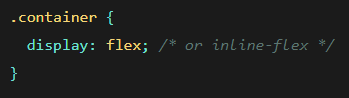 |
2️⃣ Flex-Direction Property
| Property | Value | Description and Output |
|---|---|---|
| flex-direction | row (default)row-reversecolumncolumn-reverse | Controls the main axis direction. Like choosing if items line up horizontally or vertically!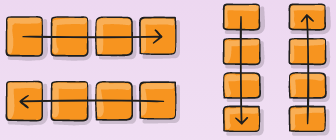 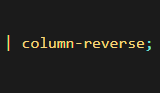 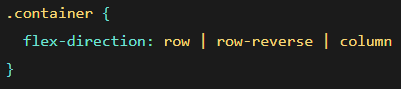 |
3️⃣ Flex-Wrap Property
| Property | Value | Description and Output |
|---|---|---|
| flex-wrap | nowrapwrapwrap-reverse | Decides if items should wrap to a new line when they run out of space.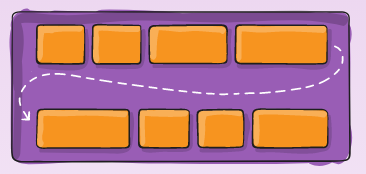 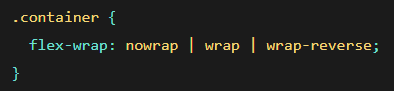 |
4️⃣ Justify-Content Property
| Property | Value | Description and Output |
|---|---|---|
| justify-content | flex-startflex-endcenterspace-betweenspace-aroundspace-evenly | Controls spacing along the main axis. Perfect for centering or spreading items!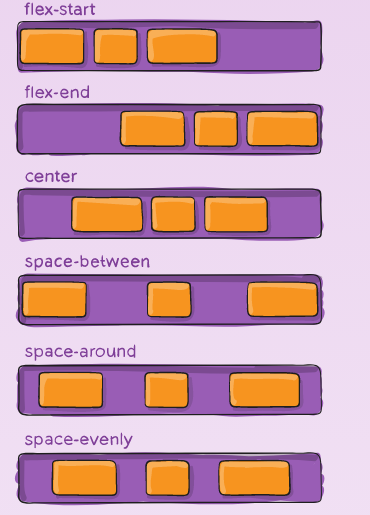 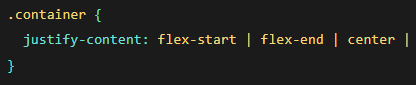 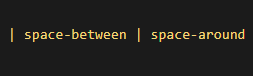 |
5️⃣ Align-Items Property
| Property | Value | Description and Output |
|---|---|---|
| align-items | stretchflex-startflex-endcenter | Controls alignment along the cross axis. Use this to vertically center items!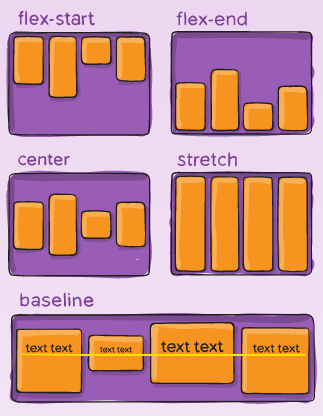  |
🎯 Quick Summary
CSS Flexbox makes layout easy! Here's what you learned:
- Flex Container - Add
display: flexto any element - Two Axes - Main axis (primary direction) and cross axis (perpendicular)
- Direction Control - Use
flex-directionto change item flow - Spacing Magic - Use
justify-contentto space items perfectly - Alignment Power - Use
align-itemsto align items vertically
💡 Tip: Pro Tip Start simple! Add
display: flexto a container, then experiment withjustify-content: centerandalign-items: centerto center everything perfectly. It's like magic! ✨
🚀 Practice Time!
Now it's your turn to practice:
- Create a Navigation Bar - Use flexbox to space menu items evenly
- Build a Card Layout - Make cards that align nicely in rows
- Center a Hero Section - Use flexbox to perfectly center content
- Make a Photo Gallery - Create rows of images that wrap nicely
🔧 Troubleshooting Tips
Having issues? Check these common problems:
- Items not flexing? Make sure you added
display: flexto the parent container - Wrong direction? Check your
flex-directionvalue - Items squished? Try adding
flex-wrap: wrap - Not centered? Use both
justify-content: centerANDalign-items: center
Remember: Flexbox properties go on the container, not the individual items!